Contents
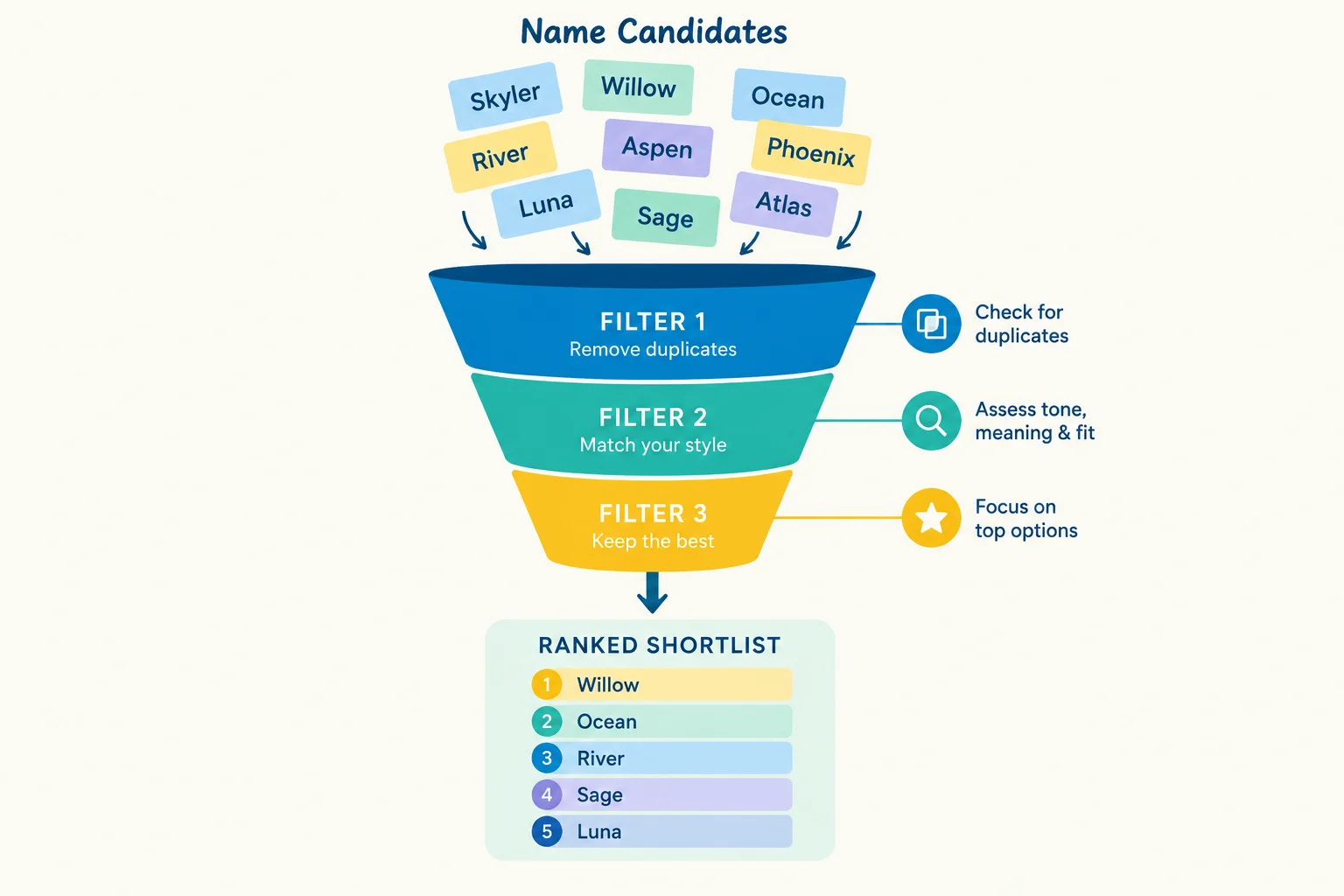
A useful name generator is not just a random word machine. The value comes from making results feel relevant, predictable, and fast. For mygenify.cloud, that means treating the generator as a small recommendation system: store name candidates with structured attributes, let users narrow the pool through taxonomy-driven filters, rank what remains, and explain fallbacks when the exact combination is too narrow.
The implementation should be independent: it should not copy another site’s UI or treat any reference site as a verified generator benchmark. Where public examples are useful, they are cited narrowly. For example, WordPress.com’s business name generator asks users for keywords and an industry selection, then allows them to refine suggestions. That is a limited product pattern, not a template for our data model or interaction design.
This article proposes a practical architecture for WordPress developers and technical founders. It covers data storage, filter constraints, scoring, fallback behavior, AJAX delivery, and lightweight retention features such as copy and favorites. The goal is a maintainable utility site that can grow from a few thousand curated names to a much larger pool without turning every generation request into a heavy database query.
Data Model and WordPress Storage Strategy
Start with a clear content model: a name is an entity, while industry, theme, style, origin, syllable band, tone, and length are attributes. That separation matters because filters should operate on structured values, not on free-text search alone. A name record should also carry status, source, editorial quality, rarity hint, normalized key, blocklist flag, and review state.
For a small or medium pool, a custom post type is the most maintainable starting point. Register mg_name with taxonomies such as mg_industry, mg_theme, mg_style, mg_origin, and mg_length_band. Store numeric or editorial fields in post meta: syllable count, normalized key, phoneme hint, rarity hint, quality score, source, and review status. Advanced Custom Fields or a similar plugin can make the admin form easier, but the storage should remain standard WordPress data so it can be queried and migrated later.
For a large pool, custom tables are usually better than post meta. A workable schema is mg_names for the canonical name record, mg_terms for normalized taxonomy terms, mg_name_terms for relationships, and optionally mg_scores for cached scoring components. Keep the name text and normalized key in mg_names, with a unique index on (pool_id, name_normalized). Add an index on (status, pool_id) and composite indexes on mg_name_terms such as (taxonomy, term_id, name_id) and (name_id, taxonomy). These indexes make term intersections and reverse lookups predictable.
Do not use JSON arrays as the primary runtime store for a large pool. JSON is useful for seed files, exports, imports, and versioned editorial bundles. Use WP-CLI commands or an admin importer to validate and load those bundles into posts or custom tables. That keeps the runtime query path simple and avoids decoding large JSON blobs on every request.
Admin management should include bulk import, duplicate detection, review status, and a blocklist view. For editorial teams, a list table with filters by taxonomy and status is enough. For technical operators, WP-CLI and Query Monitor are more valuable than a complex settings screen. Object caching, such as Redis or Memcached, should be used for candidate ID sets and common filter intersections. The generator assembles output from methods and parts, with optional uniqueness checks and multi-value combinations; the storage layer should make that assembly cheap and auditable.
Filter Logic and Taxonomy-Driven Constraints
Filters should be divided into hard constraints and soft preferences. Hard constraints protect relevance: industry, theme, name type, origin, blocklist status, and explicit exclusions. Soft preferences shape the result: tone, rarity, length preference, syllable range, and first-letter preference. The server should never silently ignore a hard constraint unless the user is told that the system relaxed it.
A practical filter flow is: validate input, map labels to term IDs, fetch candidate ID sets, intersect them, apply a limit, and pass the surviving IDs to the scorer. For smaller pools, fetching IDs per term and intersecting in PHP is simple and cacheable. For larger pools, a SQL pattern such as selecting name_id from mg_name_terms where term_id is in the selected set, grouping by name_id, and requiring the expected count of distinct terms can work well when the relationship table is properly indexed.
Avoid thinking in terms of an unlimited number of filter combinations. The practical guardrail is to cap active hard filters at roughly four to six and treat additional choices as soft preferences. More than that creates combinatorial explosion, slow queries, and empty result sets. For common combinations, precompute and cache candidate ID sets. For uncommon combinations, use indexed queries and a strict result limit. If the pool grows to tens of thousands of names, do not rely on multiple meta_query clauses; use the custom relationship table and a prepared query.
The interface should expose filters as clear chips or grouped controls, with active filters visible and removable. WordPress.com’s business name generator asks users for keywords and an industry selection, then allows them to refine suggestions. The lesson is not to copy a specific layout, but to make keyword and industry first-class inputs. For mygenify.cloud, the UI can be original while the logic remains taxonomy-driven. The user should always understand which constraints are active and which ones were relaxed when results are limited.
Scoring and Candidate Ranking
Filtering decides which names are eligible; scoring decides which eligible names appear first. A useful scoring model combines relevance, phonetic fit, diversity, rarity, and editorial quality. Relevance reflects how well the name matches selected taxonomy terms. Phonetic fit considers syllable count, pronounceability, and phoneme overlap with the user’s keywords or canonical examples. Diversity prevents a batch from being dominated by the same prefix, suffix, or rhythm. Rarity adds interest without making the output feel strange. Editorial quality catches names that are technically valid but weak.
A simple normalized formula is enough to begin: relevance at 35 percent, phonetic fit at 25 percent, diversity at 15 percent, rarity at 15 percent, and editorial quality at 10 percent. These weights should live in configuration, not in scattered code. The exact values matter less than consistency and testability. Store base scores where possible, then apply context boosts at request time for the selected filters. That avoids rescoring the entire pool on every generation.
Levenshtein distance and phoneme overlap are useful validation tools. They can detect near-duplicates, catch names that are too close to canonical examples, and support diversity penalties within a batch. They should not be exposed as raw numbers to users. Instead, translate scoring into plain labels such as Easy to say, Distinctive, Close to your theme, or Rare. Tooltips can explain the label in one sentence without revealing internal weights or ranking mechanics.
Ranking should be predictable. Use a seeded random generator for each request or session, then apply deterministic tie-breakers. If the user requests another batch, keep the same seed and exclusion set so the next batch is different but reproducible. This makes debugging easier and prevents the same names from appearing repeatedly. The goal is not to pretend the algorithm is magic; it is to make the output feel intentional, varied, and stable enough to trust.
Fallback Behavior and Edge-Case Handling
Empty results are a product problem, not just a database problem. When no names match every selected filter, the system should relax constraints in a visible order. Keep hard constraints such as blocklist and explicit exclusions. Relax soft preferences first, then origin or style, then theme or length. If the result set is still empty, show a curated fallback pool with a clear message: no exact matches were found, and these are near matches based on the strongest remaining constraints.
A near-miss list is often better than a silent empty state. Mark which filters were relaxed and offer a one-click action to remove the narrowest constraint. This preserves user trust and keeps the generator useful. Do not return irrelevant names just to fill the page. A smaller, explained result set is better than a large, misleading one.
Collision handling needs an ordered strategy. Normalize names before comparison, check against the active pool, and try fallback generation methods when a value already exists. For example, try an alternate suffix, then a prefix, then a spelling variant, then a blend. If those fail, reject the candidate rather than looping indefinitely. Uniqueness checks can be configured to check candidate values against selected system fields and resolve collisions, but the generator should not claim global uniqueness unless it actually checks an authoritative source. Domain and logo options can remain optional partners rather than core requirements.
For large batches, use a seeded random generator and track previously shown IDs in the session or a short-lived cache. If the pool is exhausted, reset the exclusion set with a warning instead of repeating names without explanation. Cultural and linguistic sensitivity also belongs here. Maintain a blocklist for offensive, trademark-like, or culturally sensitive terms, and add an editorial review workflow for flagged names. AI-generated names should not bypass that review path if they are published into the main pool. A report link and a simple review queue are lightweight safeguards that prevent avoidable reputational risk.
Front-End Instant Results with AJAX and JavaScript
The fastest interaction pattern is a small REST endpoint with a compact JSON response. Register a route such as mygenify/v1/generate and accept a POST body containing filters, a nonce, a session seed, and a batch limit. The server validates the request, resolves terms, runs the filter and scoring pipeline, and returns only the fields the client needs: name, public labels, and a stable ID. Do not return full HTML or internal scores. The client should render the result cards so the response stays small and cacheable.
On the client, keep a single state object for filters, seed, and favorites. Debounce filter changes by a short interval, abort the previous request when a new one starts, and show a skeleton or progress state instead of blocking the page. Cache repeated requests in session storage for the current session. Use navigator.clipboard for copy actions and keep those interactions local. The page should never reload for a generation request.
Performance depends more on the server query path than on JavaScript. Precompute candidate ID sets for common filter combinations, use object caching, and limit the number of candidates passed to the scorer. If the pool grows to tens of thousands of names, avoid broad WP_Query calls with many meta conditions. Use the custom tables and indexes described earlier, and keep the AJAX response bounded. A generator that returns 20 excellent names quickly is more useful than one that returns 200 names slowly.
Security and abuse control should be built in from the start. Sanitize and validate every filter value, escape output on render, and use a nonce for state-changing requests. Add a simple per-IP or per-session rate limit through transients. If AI-based generation is added later, keep it behind a separate endpoint with a token bucket, timeout, and a local fallback. The core generator should continue to work even when the AI service is unavailable or rate-limited.
Retention Features: One-Click Copy Favorites and Wishlist
Retention features should be small, fast, and optional. One-click copy is the simplest win: use navigator.clipboard.writeText, provide a fallback for older browsers, and show a short confirmation toast. No server call is needed. The same pattern works for copy all or copy selected names from a shortlist.
Favorites are best stored client-side by default. Use a namespaced localStorage key such as mygenify.favorites.v1 and store the name ID, display name, public labels, timestamp, and the filters that produced it. This avoids account requirements, reduces backend load, and keeps the feature privacy-friendly. Provide clear and export actions so users are not trapped if browser storage is cleared. For logged-in users, offer optional sync to user meta through a REST endpoint with a nonce and explicit consent. That sync should be a convenience, not a requirement.
A lightweight wishlist panel can show saved names, allow removal, and offer copy all. Do not turn the generator into a full project-management tool. The core loop is generate, refine, copy, and save. Domain and logo suggestions can be presented as optional next steps, but they should not complicate the primary experience. If a saved name is later removed from the pool, the client should still display the saved copy with a note that it is no longer in the active generator pool.
Privacy and compliance should be handled plainly. Local storage is client-side, but it should still be disclosed in the privacy policy. User meta sync requires a deletion path and a clear explanation of what is stored. Keep the feature set modular: copy works without favorites, favorites work without accounts, and accounts are only needed for cross-device sync. A lightweight feedback link, such as the email and form channels Blue Studio provides, can be added as a reporting path, but it is not part of the core generator logic and should not shape the filter architecture. That modularity keeps the utility site fast and makes each retention feature easy to remove or replace later.