Contents
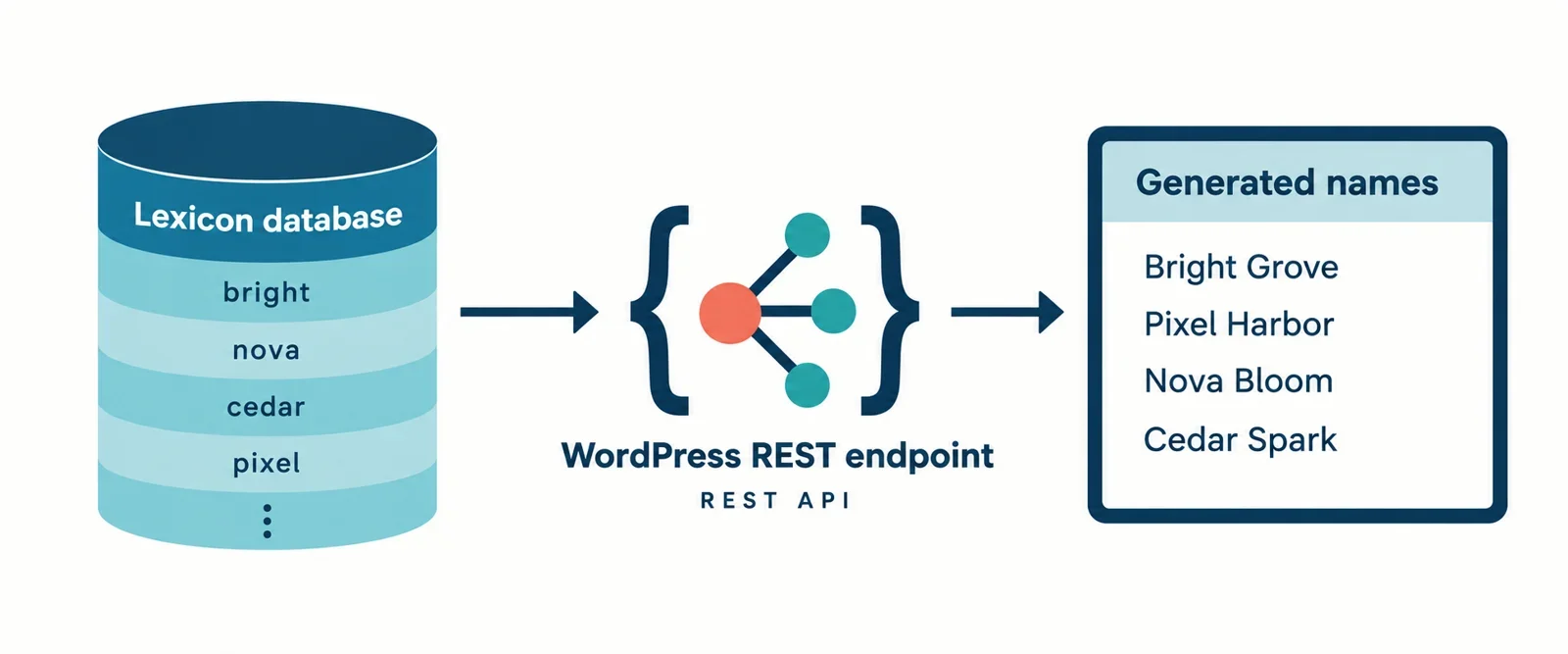
Building a name generator on WordPress is mostly an exercise in boundaries: where the lexicon lives, what the REST contract promises, and how much work the browser is allowed to do. The generator should feel instant, but the data should remain editable in wp-admin and the API should stay predictable enough to version.
This explainer lays out a practical architecture for mygenify.cloud: a custom post type and taxonomies for the lexicon, a small importer for bulk data, a mygenify/v1 REST namespace registered on rest_api_init, a validated filter contract, a stable response envelope, and a custom page template that fetches results without a reload. It also covers the retention features that turn a one-off lookup into a return visit: copy, shortlist, favorites, and shareable URL state.
The reference site bluestudio.cloud is treated as a pattern reference to verify manually, not as a specification. Its implementation is not documented in the supplied material, so the article borrows only transferable ideas such as small orthogonal filters and JSON result arrays with metadata. The UI, copy, and interaction design remain our own.
Lexicon Data Model: CPT vs Custom Table vs Versioned JSON
Start with the storage decision, because it constrains admin UX, query cost, and how safely you can roll back a curated lexicon. A custom post type such as mg_name gives you WordPress-native editing, revisions, capabilities, and taxonomies for tone, era, origin, and style. Scalar facts such as syllable count and character length belong in post meta. For a v1 generator with a few thousand to tens of thousands of names, this is usually the fastest route to a maintainable admin and a clean REST layer.
A custom table is the better read model when the lexicon is large or the filter combinations are complex. One indexed row per name, with columns for tone, era, length, syllables, locale, and status, makes multi-filter queries predictable and bulk imports cheap. The cost is that you own the admin screens, import validation, revisions, and multilingual workflows. A versioned JSON file is excellent for seed data, review, and rollback, but it is not an editing surface; it should hydrate the database, not replace it.
For mygenify.cloud, use a CPT plus taxonomies as the canonical store, keep a JSON seed file in version control, and add a custom read table only when measured query time or filter complexity demands it. Cache generated result sets rather than trying to make every taxonomy query instantaneous. This keeps the first release small while leaving a clean upgrade path.
Admin-Side Lexicon Management and Bulk Import
Editors need a lexicon screen that behaves like content, not like a database client. Register mg_name with show_ui true, a sensible menu icon, and custom columns for name, tone, era, syllables, length, status, and modified date. Add taxonomy filters above the list table so an editor can isolate a tone or era before bulk editing. Use quick edit for status and taxonomy assignment, but keep meaning and origin in the main editor.
Bulk import should be a separate admin page under Tools, guarded by a capability such as manage_options or a custom edit_mg_names cap. Accept CSV and JSON, show a column-mapping step, validate required fields, and import in batches of 100 to 500 rows so timeouts do not leave half a file unprocessed. Use a stable duplicate key, for example a normalized name plus locale, and upsert instead of blindly inserting. For JSON seed files, a WP-CLI command is often safer than a browser upload because it can run in deploy scripts and report a diff.
Suggested tooling: a small custom plugin owns the CPT, taxonomies, importer, and REST routes. WP All Import or a similar importer can handle one-off CSV loads, but a custom importer gives you the duplicate rules and taxonomy mapping the generator actually needs.
Registering the Generator Route and Namespace
Ship the generator as a plugin, not as theme code, so routes survive a theme change. Hook register_rest_route() to rest_api_init and keep all routes under a vendor/version namespace such as mygenify/v1. A route is the URL; each HTTP verb is a separate endpoint with its own callback and args. That lets one /generate route serve GET for shareable, cacheable requests and POST for larger batch payloads.
Register GET /generate, POST /generate, GET /filters, and the favorites resource. For favorites, use GET /favorites, POST /favorites, and DELETE /favorites/{id}. Keep the generation route public and the write routes authenticated. The callback should delegate to a service class or functions that can be unit-tested without HTTP.
Example skeleton:
add_action( 'rest_api_init', function () {
    register_rest_route( 'mygenify/v1', '/generate', array(
        array(
            'methods'             => WP_REST_Server::READABLE,
            'callback'            => 'mygenify_generate_names',
            'permission_callback' => '__return_true',
            'args'                => mygenify_generate_args(),
        ),
        array(
            'methods'             => WP_REST_Server::CREATABLE,
            'callback'            => 'mygenify_generate_names',
            'permission_callback' => '__return_true',
            'args'                => mygenify_generate_args(),
        ),
    ) );
} );
The namespace prevents collisions with core or another plugin and gives you a clean v2 path later. The route should not expose admin-only data; if an editor needs a preview endpoint, put it under a separate authenticated route.
Parameter Contract: args, defaults, sanitize and validate
Declare every parameter in the args map. The generation callback should never have to guess whether tone is a string, whether count is numeric, or whether an empty value means all. Use defaults for optional filters, required only where a value is truly mandatory, sanitize_callback for type cleaning, and validate_callback for allowed values and ranges.
A practical v1 contract is tone, era, length, and count. Tone and era accept any plus a fixed allowed list. Length accepts any, short, medium, or long. Count is an integer from 1 to 50, default 12. If syllable count is a product requirement, add it as an optional integer range, but do not expose every possible field in v1.
function mygenify_generate_args() {
    return array(
        'tone' => array(
            'default'           => 'any',
            'sanitize_callback' => 'sanitize_key',
            'validate_callback' => function ( $value ) {
                return in_array( $value, array( 'any', 'warm', 'sharp', 'neutral' ), true );
            },
        ),
        'count' => array(
            'default'           => 12,
            'sanitize_callback' => 'absint',
            'validate_callback' => function ( $value ) {
                return is_numeric( $value ) && $value >= 1 && $value <= 50;
            },
        ),
    );
}
Validation failures should return a WP_Error with a 400 status, not a silent fallback. That makes the UI honest and the logs useful.
Result Payload Design and Metadata
Return a stable envelope, not a bare array. A bare array is easy for v1 and painful when you later need pagination, cache metadata, or applied filters. Use a names array plus meta and filters. Each name should carry an id, name, slug, tone, era, length, syllables, origin, and optional meaning or score. Keep per-name metadata flat enough to render without a second request.
A v1 shape can look like this:
{
  names: [ { id, name, slug, tone, era, length, syllables, origin, meaning, score } ],
  meta: { count, request_id, generated_at, cached },
  filters: { tone, era, length, count }
}
Wrap it with WP_REST_Response so you can set the status and headers explicitly. Return 200 for a successful generation even when names is empty; empty is a valid result, not an error. Set Cache-Control on anonymous GET responses and an X-Mygenify-Cache header for debugging. Echo the normalized filters, not the raw query string, so clients can render the active state consistently. Include a request_id that also appears in logs; it is the fastest way to connect a user report to a server event.
Error Handling and Status Codes
Use WP_Error with a machine-readable code, a human message, and a status in the error data. Reserve 400 for invalid filters, 401/403 for authentication and permission failures, 404 for unknown resources such as a missing favorite id, 429 for throttling, and 500 only for genuine faults such as a database failure or an unexpected exception.
A practical contract:
| Code | Status | UI message |
|---|---|---|
| mygenify_invalid_tone | 400 | That tone is not available. Choose another. |
| mygenify_invalid_era | 400 | That era is not available. Choose another. |
| mygenify_invalid_length | 400 | Choose any, short, medium, or long. |
| mygenify_invalid_count | 400 | Ask for between 1 and 50 names. |
| mygenify_not_found | 404 | That item could not be found. |
| mygenify_rate_limited | 429 | Too many requests. Try again shortly. |
| mygenify_generation_failed | 500 | Generation failed. Please retry. |
Do not return 404 for an empty result set. Do not return 500 because a filter combination has no matches. For 429, include a Retry-After header and make the UI show a countdown or a disabled button. Log the error code and request_id, not the full user payload. The front end should map codes to short messages and keep the raw message out of the interface unless it is safe and useful.
Permissions, Nonces and Abuse Controls
Separate read from write. The public generate route can use a permission_callback that returns true, because it only reads curated data. Favorites, saved lists, and any preview or import route must check is_user_logged_in() or a capability. A nonce is not a permission system; it protects against CSRF for cookie-authenticated requests. Localize a wp_rest nonce and send it in the X-WP-Nonce header for POST and DELETE calls.
Rate limiting belongs at the route or service layer, not in the template. Use a transient or object-cache counter keyed by a hashed IP and route for anonymous generation, for example 30 requests per minute. If the site is behind a CDN or reverse proxy, only trust forwarded IP headers from a known proxy; otherwise the limit is trivial to spoof. Keep rate limits per route: generation can be stricter than filters.
Caching changes the abuse picture. A cached GET may never reach PHP, so origin rate limits only apply on cache misses. That is acceptable for public, non-personalized results. Authenticated favorites should bypass page and CDN caching, and should not be stored in a shared cache key. If you add a batch endpoint, give it a separate, stricter limit and require authentication.
Front-End Instant Generation Without Page Reload
The custom page template should output the filter controls and a results container, then enqueue one script for that template only. Localize the REST URL, the nonce, and the allowed filter values. On submit, prevent the default form action, read the controls, build URLSearchParams, and fetch the route. Use AbortController to cancel an in-flight request when the user changes filters again.
const params = new URLSearchParams({ tone, era, length, count });
const response = await fetch( `${restUrl}?${params}`, {
  headers: { 'X-WP-Nonce': nonce },
} );
const data = await response.json();
Render a loading state immediately, then replace it with a list. Each row can include the name, a copy button, and a shortlist button. Handle three non-happy states explicitly: empty results with a suggestion to broaden filters, validation errors with the field highlighted, and network or 5xx errors with a retry button. Use aria-live on the results region so screen readers announce the update.
Keep state shareable. After a successful generation, write the normalized filters into the URL with history.replaceState. On page load, hydrate the form from the query string and optionally run the request. That gives users a link they can bookmark without making every generated permutation a separate indexable page.
Copy and Shortlist/Favorites Retention Features
Copy is a client-side concern. Use navigator.clipboard.writeText() when available and fall back to a hidden textarea plus document.execCommand(‘copy’) for older browsers. Show a short confirmation on the button, not a modal. Copy the name only by default; if the row includes meaning or origin, offer a secondary copy action for the full record.
Shortlist persistence depends on identity. Anonymous users can keep an array in localStorage under a versioned key such as mygenify:favorites:v1. Store enough to render the list without another request: id, name, and the filter context. Logged-in users should use user meta or a custom favorites table behind authenticated REST routes. A custom table is easier to query and report on; user meta is simpler for a small list.
On login, merge the local shortlist into the account. POST the local items to a merge endpoint, de-duplicate by name plus locale, then clear or mark the local copy. Do not silently overwrite server favorites. Copy and shortlist actions can both be REST calls, but copy needs no server round trip. Prefer REST over admin-ajax for new work because it shares the same auth, validation, and error contract as the generator.
Caching, Batch Mode and Performance
Cache at the result-set level, not at the page level alone. Build a key from the normalized filters, locale, and any seed or exclusion list, then store the IDs or payload in a transient or object-cache group. A five- to fifteen-minute TTL is usually enough for a public generator; filter options can be cached much longer. Invalidate by bumping a lexicon version option when names are imported or edited, rather than trying to delete every possible key.
Batch mode should be a separate, authenticated path. Public generation should cap count at 50; a batch endpoint can accept up to a few hundred with a stricter rate limit and a longer timeout. For browsing, add page and per_page to a names listing route rather than pretending generation is pagination. For repeated generation with the same filters, accept an exclude list of IDs or a seed so the client can ask for a fresh slice without duplicates.
Caching and personalization do not mix. Do not cache favorites, merge responses, or anything keyed to a user. Do not let a CDN cache a response that varies by nonce or cookie. If the response is public and non-personalized, set Cache-Control and let the edge help; if it is personalized, set private/no-store and keep it at the origin. Monitor cache hit rate alongside 429s so you can tell whether throttling is real abuse or a cache configuration mistake.
Reference-Site Behaviour to Emulate
Use bluestudio.cloud and comparable generators as pattern references, not as a specification. The supplied material does not document bluestudio.cloud’s implementation, so verify its behaviour manually before matching anything. The transferable pattern is a small set of orthogonal filters, a generate route that accepts flat query parameters, and a JSON response that returns an array of names with per-name metadata rather than plain strings.
One reference generator documents a POST /generate endpoint that returns a fixed batch of names plus metadata such as scores and etymological roots. Another documents GET /generate?type=…&category=… returning JSON arrays with similarity scores and morpheme breakdowns. Those examples support the same architecture: keep the filter vocabulary small, return structured metadata, and let the client render without a second lookup. They do not justify copying another site’s layout, copy, or interaction design.
For mygenify.cloud, define your own filter set and your own result card. If you need to match a reference behaviour, record it as an explicit product decision and test it: result count, filter names, empty-state behaviour, and whether the URL is shareable. Treat undocumented behaviour as a question to answer, not a requirement to guess.
Template Integration, SEO and Observability
Assign a custom page template to the generator page and keep the template thin: header, intro copy, filter form, results region, footer. Enqueue the generator script and styles only on that page using a conditional such as is_page_template(). Pass configuration with wp_localize_script or wp_add_inline_script. Do not hard-code the REST URL in JavaScript; rest_url() respects subdirectory installs and HTTPS.
SEO needs a deliberate rule. Generated result states should usually be noindex and canonical to the base generator page, because query-param permutations can create infinite crawl space. If you want indexable landing pages, create separate WordPress pages with fixed filters and unique copy, then link to them from the generator. Use the wp_robots filter to add noindex when generator query params are present, and keep the base page indexable.
Observability should be small but real. Log request_id, normalized filters, result count, duration, cache status, and error code. Do not log full IP addresses or user identifiers unless you have a retention policy. Watch 400s for bad client mappings, 429s for throttling, and 5xx for database or generation faults. A single structured log line per request is enough to debug most failures without building a separate analytics system.