Table of Contents
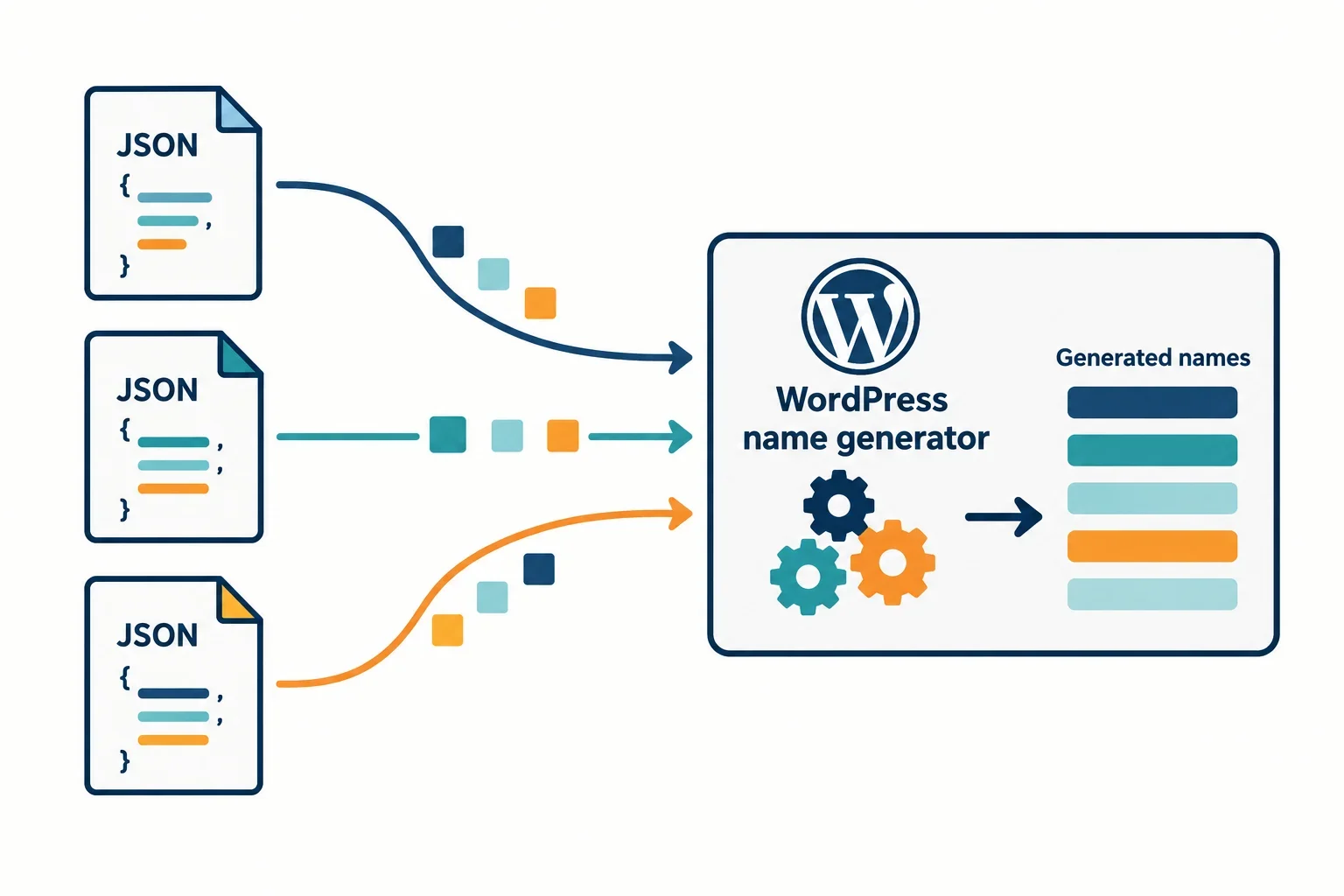
A WordPress name generator looks simple from the outside: the visitor chooses a few options, clicks a button, and sees names. The architectural difficulty is in the data path. Anonymous visitors may request the same dataset thousands of times per day, so a design that queries MySQL for every name is wasteful. This article outlines a practical architecture for mygenify.cloud that treats name data as JSON, serves it efficiently, and keeps filtering logic predictable. The goal is not to copy another site’s visual design; it is to implement the functional pattern of filtering and generating names with an original theme. We will cover storage choices, safe file reading and delivery, a filter-friendly JSON schema, the correct role of the REST API and nonces, session-only favorites, one-click copy, and caching strategies that work on ordinary hosting.
Data Storage Architecture: JSON Files vs. CPT vs. Options
The storage choice should follow the read pattern. Anonymous visitors will request the same static name dataset repeatedly, so the main goal is to avoid a database query for every page view.
A custom post type is convenient for editors. Each name can have fields, revisions, and familiar admin screens. The cost is that public reads become SQL queries unless you cache aggressively. For a high-traffic utility page, that is unnecessary overhead when the data changes infrequently.
Using wp_options is faster for a small array because it is a single row, but it is a poor home for a large dataset. Autoloading a huge serialized array can bloat every request, and editing thousands of names through the options table is impractical without a custom interface.
A JSON file is the best default for a mostly static name list. Place it in your theme or plugin under a controlled path such as /assets/data/names.json, serve it as a static asset, and let the web server or CDN handle delivery. The file can also be read server-side and cached. Because theme assets are usually public, do not put sensitive data there; public name data is fine.
For teams that need admin editing, use a hybrid: keep the editable source in a custom post type or custom table, then compile a JSON file on save or via WP-CLI. The public site reads the compiled file, while editors keep a usable admin workflow. This keeps anonymous requests away from MySQL and makes performance predictable. Version the file with a build number or filemtime() so caches can be invalidated cleanly.
Safely Enqueuing and Reading JSON Data in WordPress
Two safe delivery patterns are common. The first is to enqueue a JavaScript file that fetches a JSON URL. The second is to read the JSON on the server and pass the decoded data into the page.
A JSON file should not be passed to wp_enqueue_script() as if it were JavaScript. wp_enqueue_script() prints a script tag; the browser will request the URL and try to execute the response as JavaScript. JSON is data, not executable code, so that approach fails or creates a parse error. Instead, enqueue generator.js and give it the JSON URL with wp_localize_script() or wp_add_inline_script(). Build paths with get_template_directory() and get_template_directory_uri() (or the plugin equivalents), never with a hardcoded absolute path.
For server-side reads, check file_exists(), is_readable(), and a reasonable filesize() limit before reading. Then decode with json_decode($contents, true), check json_last_error(), and verify the result is an array with the expected keys. Return an empty array or a WP_Error on failure so the caller can degrade gracefully.
function mygenify_get_names_data() {
    $file = get_template_directory() . '/assets/data/names.json';
    if ( ! file_exists( $file ) || ! is_readable( $file ) || filesize( $file ) > 2097152 ) {
        return array();
    }
    $json = file_get_contents( $file );
    if ( false === $json ) {
        return array();
    }
    $data = json_decode( $json, true );
    if ( JSON_ERROR_NONE !== json_last_error() || ! is_array( $data ) ) {
        return array();
    }
    return $data;
}
If you use the WordPress Filesystem API, you can abstract some host-specific file permission issues, but a local theme file read with file_get_contents() is acceptable when the path is controlled. Do not enqueue arbitrary user-uploaded files as scripts. Keep JSON data in a known directory, validate it before use, and make the frontend handle a missing or malformed file without breaking the page.
Parsing Name Data and Structuring Filterable Datasets
Define the schema before writing filters. A useful shape is an object with a version and a names array. Each record should carry a stable ID, the display name, one or more themes, a precomputed length, a tone, and optional tags. Using arrays for themes and tags avoids locking a name to a single category.
{
  "version": 1,
  "names": [
    {
      "id": "aeloria",
      "name": "Aeloria",
      "themes": ["fantasy"],
      "length": 7,
      "tone": "mystical",
      "tags": ["elven"]
    }
  ]
}
Precompute length instead of recalculating it during every filter pass. Build an index by theme on load: for each record, add it to a Map entry for each theme. Then a request for fantasy, length 6 to 8, and a mystical tone only scans the fantasy pool. Use AND conditions for required filters and OR within a facet when users can select multiple themes. Keep the filter function pure and return a copy so rendering does not mutate the source data.
It is common to render an initial batch, such as 50 names, on page load so the page is useful before the first click. Some generators also expose controls for era, tone, and length; model those as optional fields and ignore them when the user leaves them at default. Validate the payload in JavaScript with Array.isArray() and a small record check. If the file is missing or malformed, show a friendly fallback rather than throwing an exception. For very large datasets, consider a Web Worker for filtering, but most name lists are small enough for a main-thread pass.
Frontend Generation Logic: REST API vs. Admin-Ajax
The first decision is whether the browser needs a server call at all. If the filtered dataset is already loaded, generation and filtering can run client-side, which is the fastest and simplest path. Use the REST API when the server must choose from a dataset that should not be shipped to the browser, when you need server-side randomization with auditability, or when you add write actions such as saving a favorite for a logged-in user.
For many AJAX-style tasks, the REST API is the more structured modern option: it exposes JSON over normal HTTP methods and is easier to document and test than routing everything through admin-ajax.php. A single route can define separate handlers per HTTP verb, so a collection endpoint can answer GET with a list and POST with a create action. The REST API also supports global query parameters such as _fields, which lets a client request only the response properties it needs and keep payloads small.
add_action( 'rest_api_init', function () {
    register_rest_route( 'mygenify/v1', '/generate', array(
        'methods'             => WP_REST_Server::READABLE,
        'callback'            => 'mygenify_rest_generate',
        'permission_callback' => '__return_true',
        'args'                => array(
            'theme' => array( 'sanitize_callback' => 'sanitize_key' ),
        ),
    ) );
} );
For a truly public generator, __return_true is acceptable for a read-only endpoint, but pair it with rate limiting at the server, proxy, or application layer. Do not treat a nonce as an anti-abuse shield for anonymous visitors. Nonce validation mainly helps establish the current user context; the permission callback decides whether the request is allowed. For an open GET endpoint, a missing or invalid nonce does not automatically mean a 403. Use nonces for state-changing requests or actions performed on behalf of a logged-in user, and use throttling for anonymous traffic.
If the site blocks anonymous REST access, either allow your specific route deliberately or fall back to admin-ajax.php with a wp_ajax_nopriv_ hook. Do not disable the REST API globally and then expect the generator to call it successfully.
Implementing One-Click Copy and Temporary Favorites
Lightweight interactions can improve the experience without adding server storage or user accounts. One-click copy and a temporary favorites list can both live entirely in the browser.
Use the Clipboard API for copy actions. It requires a secure context, so serve the site over HTTPS. Provide a fallback for older browsers using a temporary textarea and document.execCommand('copy').
async function copyName(name) {
    try {
        await navigator.clipboard.writeText(name);
        showCopyFeedback();
    } catch (err) {
        const textarea = document.createElement('textarea');
        textarea.value = name;
        document.body.appendChild(textarea);
        textarea.select();
        document.execCommand('copy');
        document.body.removeChild(textarea);
        showCopyFeedback();
    }
}
For temporary favorites, use sessionStorage. It lasts for the tab session and clears when the tab closes, which is appropriate for a no-account utility. Store an array of names or IDs, and provide add and remove buttons that update the stored list and re-render the favorites panel.
function toggleFavorite(name) {
    const favorites = JSON.parse(sessionStorage.getItem('mygenify_favorites') || '[]');
    const index = favorites.indexOf(name);
    if (index > -1) {
        favorites.splice(index, 1);
    } else {
        favorites.push(name);
    }
    sessionStorage.setItem('mygenify_favorites', JSON.stringify(favorites));
    renderFavorites();
}
Accessibility matters here. Use real <button> elements, not clickable <div> elements. Give each button an aria-label that includes the name, such as aria-label='Copy Aeloria to clipboard'. Use aria-live='polite' for short status messages like “Copied” or “Added to favorites.” Do not rely on color alone to show saved state; change the label or icon as well. Keep focus visible and ensure the controls work with a keyboard.
Performance and Caching for Predictable Generator Speed
For a high-traffic utility page, the most reliable performance win is serving static JSON through the web server or CDN. If the browser can fetch the file directly, PHP and MySQL are removed from the hot path. Set long cache lifetimes for versioned files, and use a version query string or a filename hash when the dataset changes.
If PHP must read the JSON, cache the decoded array. WordPress object caching with Redis or Memcached is ideal when available. Use a key such as mygenify_names and a long expiry for static files. When object caching is not available, a transient can act as a fallback, but remember that transients often live in the options table. Invalidate the cache when the JSON file changes.
$data = wp_cache_get( 'mygenify_names' );
if ( false === $data ) {
    $data = mygenify_get_names_data();
    wp_cache_set( 'mygenify_names', $data, '', HOUR_IN_SECONDS );
}
On shared hosting, avoid reading and decoding the JSON on every request. Serve it statically when possible, and use page caching for the generator shell. If you use a REST route for server-side generation, cache the dataset, not the random output. A random result should not be cached as if it were the same for every visitor.
Use local build tools such as Grunt or Gulp to concatenate and minify JavaScript and CSS before deployment rather than making the server do that work on each request. Also generate or validate the JSON file during the build so malformed data is caught before release. Finally, code for failure: if the JSON file is missing, the frontend should show a fallback message, and the REST route should return a controlled error instead of a fatal page.